

🚀 SQL-to-HTML Tool for Microsoft Access
🚀 SQL to HTML - Export Exactly the Data You Needto HTML
Turn any SQL statement into a clean, interactive HTML table – and preview action queries before they change a single record.
Every Access developer knows the moment: you write a DELETE or UPDATE query, press Run… and hold your breath. Did it hit the right rows? The Access datasheet is cramped, action queries tell you nothing before they strike, and turning a result into a readable report means copy, paste and fiddling.
The SQL-to-HTML Tool solves all of that with a single line of code:
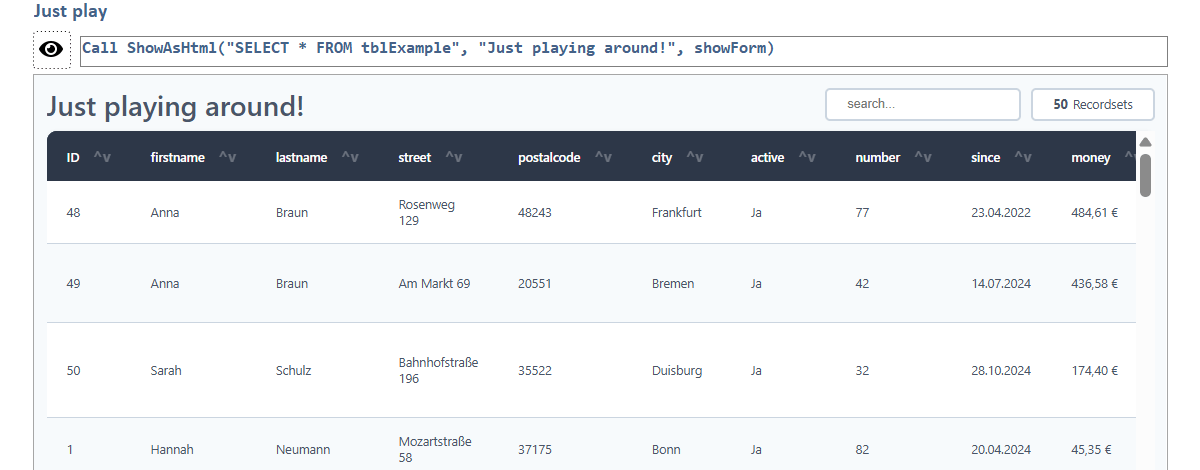
ShowAsHtml "SELECT * FROM tblCustomers", "My customers"
… and you instantly get a modern, styled, sortable table – in your browser, inside an Access form, as an HTML file, or as a plain string.
🔥 The highlight: a safe preview for action queries
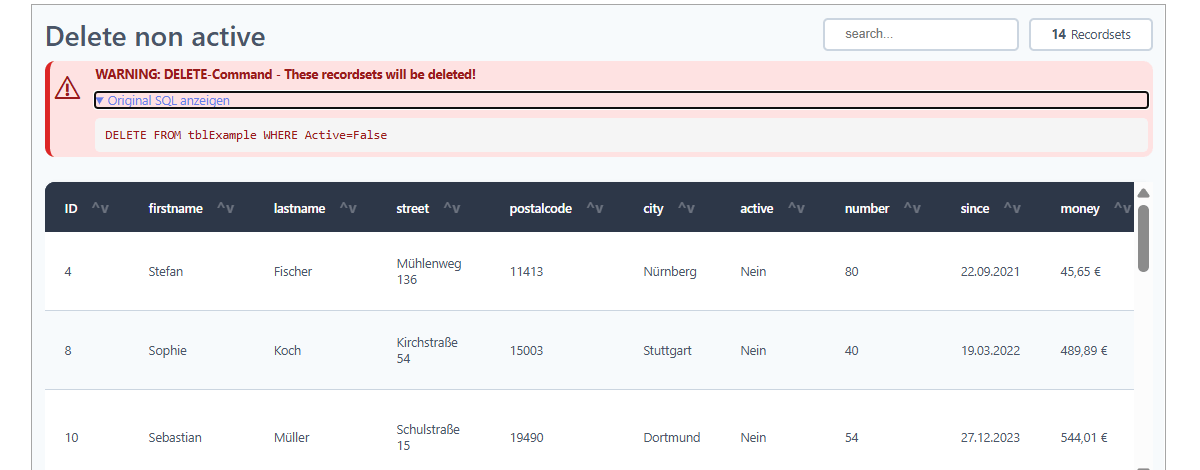
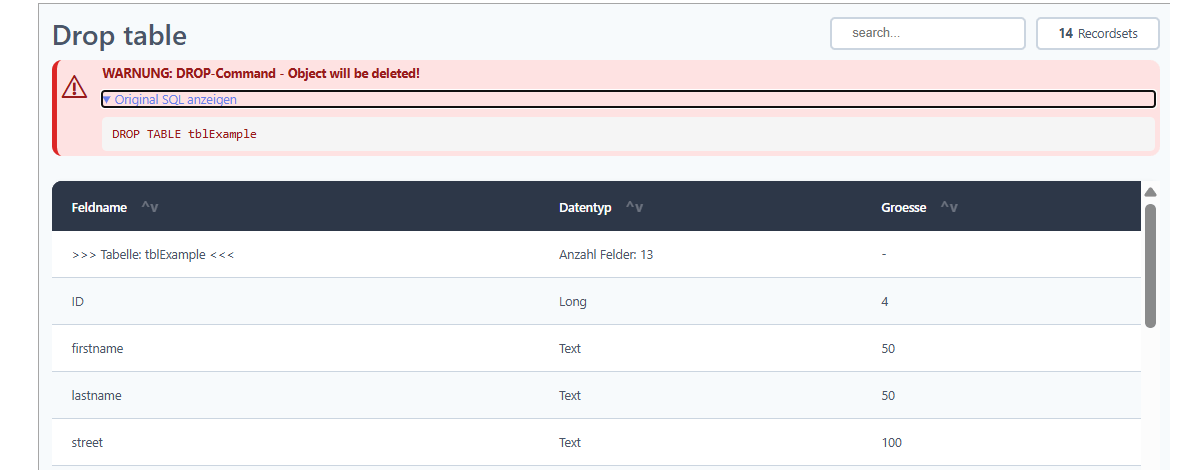
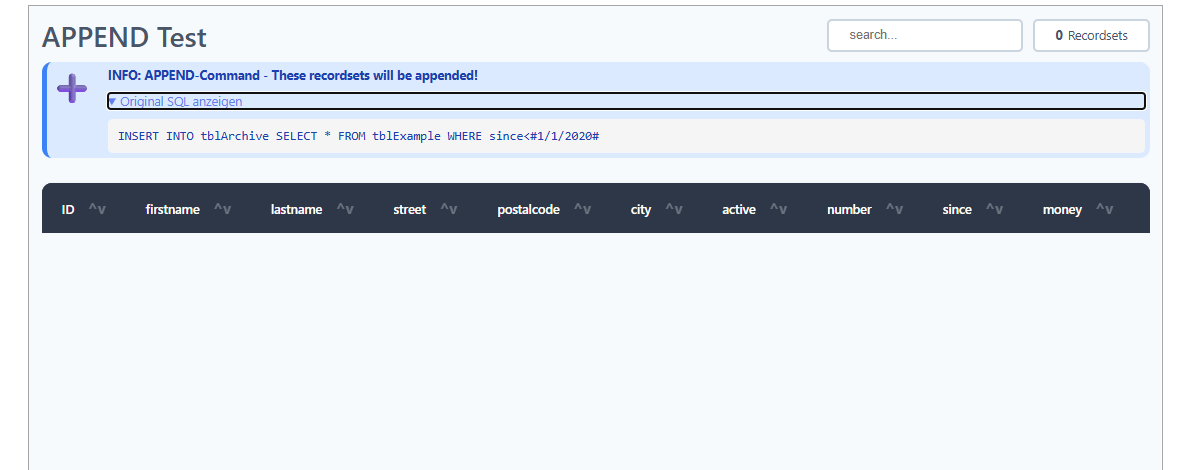
This tool does far more than display a SELECT. For every action query it builds a preview of what would happen – without touching your data:
🔴 DELETE / DROP → a red warning box shows exactly which records or objects would be removed.
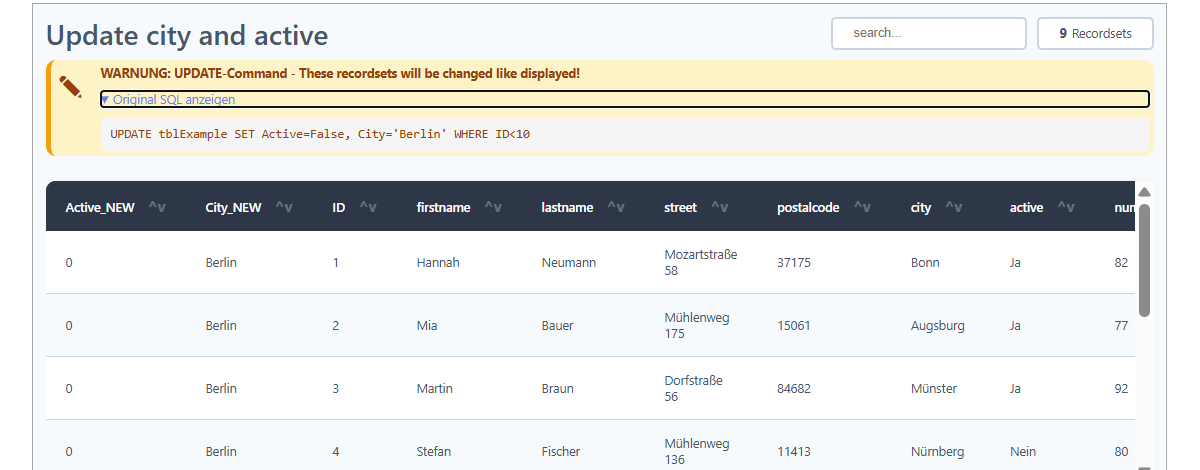
🟡 UPDATE / ALTER → the new values appear as extra columns, right next to the current data.
🔵 INSERT / APPEND / MAKE TABLE → you see the rows that would be added or written.
See before you change. No more guessing, no more „oops“.
✅ What the HTML table gives you
- ✅ Sortable columns – click a header; sorting is type-aware for numbers, currency, dates and text.
✅ Sticky header that stays visible while you scroll.
✅ Row & column highlighting on hover.
✅ Zebra striping and automatic formatting of dates, currency and numbers.
✅ Live record counter – always know how many rows you are looking at.
✅ Clean, modern, responsive design that looks good on any screen.
📤 Four ways to output – one parameter
- 🌐 Browser – open the result in the default web browser.
🖥️ Access form – display it directly inside your application (Edge control).
📄 HTML file – save a self-contained, UTF-8 encoded file to share or archive.
🔢 HTML string – return the markup for e-mails, reports or further processing.
🔧 Built for real-world Access
- Runs on 32-bit and 64-bit, Microsoft 365 and Access 2021 or newer.
- Late binding – drop in one module, no reference juggling.
- HTML-injection safe – your data can never break the layout.
- Robust SQL parser – copes with quotes, commas inside values and bracketed field names.
- Built-in error logging for painless troubleshooting.
💡 A typical use case
Before you run a bulk UPDATE on a live table, you call ShowAsHtml with the statement. The tool shows a warning banner and a table containing the current data plus the new values as additional columns. You check it, close it, and only then execute the query – with confidence instead of a held breath. Or simply hand a colleague a single HTML file of a query result that opens in any browser – no Access required.
🧪 Try it out
Using my little testing form you can try the functions directly. This makes it easy to learn the functions step by step. Do you develop a lot with Access? Then give it a try — I’m looking forward to your feedback or ideas for additional functions! 🚀
You will find the detailed description and all instructions directly in the code - well documented as usual.
📥 DOWNLOAD
Version: 1.0 14th July 2026
 A small donation


